
Novelink
Multibook International Publishing Group-NewBooks & Reference
4.51.32K Reviews
- Version
- 1.6.0
- Installs
- 100.00K
- Age Rating
- Teen
Screenshots


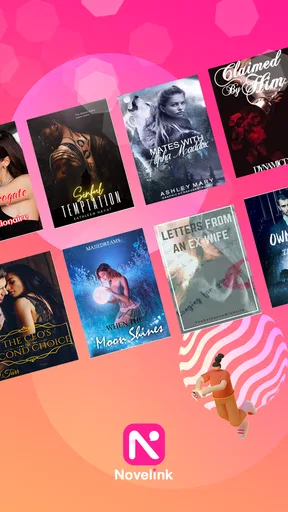



Our Review of Novelink
 Analysis by Appyee
I approached Novelink as a reader looking for a more direct way to discover and follow digital novels, rather than as someone searching for a general-purpose ebook shelf. Its Books & Reference position makes sense: the app is built around reading and browsing fiction, with a tone that aims to connect a story with the reader’s imagination. That idea is appealing, but the real test is less poetic. The important questions are whether the first session feels clear, whether a reader can recover easily when something interrupts the flow, and whether the experience is worth choosing over a familiar reading app.
My overall impression is positive, especially for people who enjoy serialized or discovery-led fiction and do not mind spending time exploring. The application is free to install, carries a Teen content rating, and comes from Multibook International Publishing Group-New. It has reached over one hundred thousand installs and holds a 4.5 average from around ten thousand ratings, with roughly one thousand three hundred written reviews. Those figures suggest a healthy reader audience, but they do not remove the need to judge the day-to-day experience for yourself.
Getting past the first points of friction
The first challenge with a novel platform is usually not reading itself. It is understanding how the app expects you to move from opening screen to an actual chapter. A reader may arrive with a specific title in mind, or may simply want to browse until something catches their attention. Those are different habits, and an app can feel smooth for one while feeling confusing for the other.
With Novelink, I would begin by treating the opening session as an orientation rather than rushing straight into a long reading commitment. Look for the route that leads to the novel catalog, open a title that genuinely interests you, and spend a moment noticing how the app presents the story before deciding whether to continue. This small pause matters because a discovery-based service can make browsing feel productive even when you have not yet found your next book.
Readers who expect a traditional ebook reader may initially look for familiar controls or a personal library structure. That expectation can create unnecessary frustration. Novelink is better approached as a place to find and follow stories than as a replacement for every reading tool you already use. If your priority is importing a large collection of books, organizing files into detailed folders, or maintaining a carefully managed offline archive, a dedicated ebook reader may be a better fit.
Another possible sticking point is the difference between a free app and a completely cost-free reading journey. Novelink is free to download, but it includes in-app purchases ranging from $4.99 to $99.99 per item. I would keep that distinction in mind before becoming deeply invested in a title. If a purchase prompt appears, read the wording carefully and decide whether you want to continue under those conditions. The safest habit is to treat any paid step as a deliberate choice, not as something to tap through automatically.
The Teen rating is also useful context for deciding whether the app suits a particular reader. I would not hand it to a younger child without first checking the individual stories and considering the maturity of their themes. For teenagers and adults who already enjoy online fiction, the rating gives a clearer starting point than assuming every novel will have the same tone.
What I check before settling into a story
My preferred setup is simple. I first make sure I am signed into the account or reading environment I intend to use, then I open a story and confirm that I can return to it without losing my place. I also test the basic movement between the story page and the reading screen. This is not glamorous, but it helps separate a genuine app problem from a momentary navigation mistake.
I recommend starting with one or two novels instead of collecting everything that looks interesting. A smaller starting list makes it easier to notice whether the app remembers your progress and whether its discovery tools actually help you choose. It also prevents the common problem of opening many stories, forgetting which one held your attention, and then blaming the app for an untidy reading routine.
If you are installing the current release, the version shown is 1.6.0 and the minimum requirement is Android 6.0. That makes the app accessible to a broad range of Android devices, although compatibility on paper does not guarantee an equally comfortable experience on every older phone. On a device with limited storage or an aging operating system, I would keep the first test short and watch for slow screen changes, failed loading, or unexpected restarts before committing to regular use.
A useful setup check is to try the app on the connection you normally use for reading. If the catalog or a chapter takes time to appear, repeat the test on another reliable connection before deciding that Novelink is broken. This simple comparison often reveals whether the trouble comes from the app, the network, or the device’s current condition.
A reading workflow that is easier to recover
My strongest practical tip is to build a recovery habit from the beginning. When I find a novel I want to continue, I note its title somewhere outside the app or keep it easy to locate in my own routine. That may sound unnecessary, but it helps when a session closes unexpectedly, a device changes, or I return after several days and cannot immediately remember where I left off.
I also avoid opening a story while doing several other demanding tasks on the phone. If the app is competing with a crowded browser session, a video call, or a nearly full device, a reading screen that hesitates can be difficult to diagnose. Closing unrelated apps, reopening Novelink, and trying the same chapter again is a sensible first recovery step. It is quick, safe, and does not assume that the novel itself is at fault.
When a page does not load, I would work through the problem in a fixed order: wait briefly, retry the same action, check the connection, close and reopen the app, and then test another story. Testing another title is particularly helpful. If one story fails while another opens normally, the issue may be limited to that item or its current delivery rather than the entire application. If nothing loads, the more likely suspects are the connection, the phone, or a temporary service problem.
I would avoid repeatedly tapping a purchase control when the screen appears slow. Multiple taps can make it unclear whether an action was registered. Instead, pause, check what the interface shows, and review the transaction state through the device’s normal purchase records if necessary. This is one of the more important trade-offs in an app that mixes free access with optional paid items: convenience is useful, but patience protects both your reading plan and your wallet.
For readers who move between devices, I would establish a simple personal record of the novels being followed. I would not assume that every reading state will behave exactly as it does on one phone, especially if the account or sign-in process is different. Keeping the title and last chapter in a note gives you a fallback without requiring any special technical knowledge.
Separating app trouble from phone trouble
Not every interruption deserves an immediate reinstall. If Novelink closes once, I would reopen it and see whether the problem repeats. If the phone is hot, low on storage, or running many background tasks, stabilizing the device first is more sensible than changing the app. A restart can also clear temporary system pressure, particularly on older hardware.
Connection problems are another frequent source of confusion. A story catalog may appear while a chapter struggles to load, or one part of the app may respond while another waits. That pattern does not automatically mean the installation is damaged. I would compare Wi-Fi with mobile data when available, move to a stronger signal, and try again later if the issue appears limited to loading.
Reinstalling should be a later step, not the first reflex. Before doing it, I would make sure I know how I normally access my reading account and that I have recorded the titles I care about. A clean installation can remove local problems, but it can also make a reader feel as though progress has disappeared if they have not prepared. The practical lesson is simple: protect your reading information before using a more disruptive fix.
It is also worth checking whether the problem affects only one device. If Novelink behaves normally on a newer phone but struggles on an older one, the app may be working as intended while the hardware is limiting the experience. Conversely, if the same failure follows your account or appears across different connections, the issue may be outside your handset. This kind of comparison gives you a clearer answer than repeatedly changing settings at random.
I would not expect a general troubleshooting routine to solve every issue. Some interruptions can come from content delivery, account state, payment processing, or a temporary service-side fault. The useful boundary is knowing when to stop experimenting. If basic reopening, connection checks, and a device restart do not help, document what happened, including the title and action that triggered it, and use the app’s available support route rather than repeatedly retrying the same step.
Where Novelink fits beside other reading choices
Compared with a standard ebook reader, Novelink seems more attractive to someone who enjoys discovering stories within the app instead of bringing an existing library to it. A traditional reader usually wins for ownership, file management, typography controls, and a quiet reading environment. If those are your main priorities, Novelink may feel less focused than the tool you already have.
Compared with broad digital book marketplaces, its appeal is the possibility of a more story-centered browsing experience. A marketplace is often best when you know the exact author or title you want and want to compare editions or purchase options. Novelink is more suitable when you are willing to explore and follow a developing reading habit. That convenience comes with a trade-off: browsing may be enjoyable, but it can also encourage impulse decisions, especially when paid items appear after you have become interested in a story.
Compared with physical books, the application is naturally more portable and immediate. I can imagine using it during a commute, while waiting for an appointment, or in the few quiet minutes before bed. The downside is that the phone itself remains part of the experience. Notifications, battery limits, and other distractions can pull attention away from the novel in a way a paper book does not.
One non-obvious strength is that the app can suit readers who choose fiction by mood rather than by a fixed reading plan. Instead of deciding in advance which book to buy, you can use a short browsing session to test whether a story’s premise and opening hold your attention. The weakness is that this approach rewards curiosity more than discipline. Readers who want one definitive, uninterrupted book may prefer a simpler reader with fewer discovery decisions.
Who will enjoy it, and who should choose something else
I would recommend Novelink to a teenager or adult who likes online novels, enjoys sampling unfamiliar stories, and is comfortable using a phone as the main reading device. It is especially suitable for someone who wants a free starting point and is willing to make careful decisions if optional purchases become part of the experience.
I would be more cautious if you need a highly controlled reading environment. People who depend on a large personal ebook collection, detailed file organization, extensive accessibility customization, or a strictly offline routine should compare it with a dedicated ebook application before switching. The same applies to readers who dislike serialized discovery and want to buy one complete book with no additional reading decisions.
For a realistic everyday scenario, imagine having twenty minutes before a train arrives. I would open Novelink, browse with a specific limit in mind, choose one story, and read without starting five others. If the chapter loads slowly, I would switch connections or try again rather than repeatedly pressing the screen. Before leaving, I would make a quick note of the title so the next session begins smoothly. That routine turns the app from an endless browsing loop into a manageable part of the day.
My other practical advice is to decide your spending boundary before you are emotionally attached to a story. The available purchase range is wide enough that casual tapping is not a good strategy. A reader who plans ahead can enjoy the free entry point while staying in control; a reader who dislikes any paid continuation should stop at the first purchase prompt and choose a different reading service.
My practical verdict after using it
Novelink is a credible choice for mobile fiction discovery, and its strong average rating suggests that many readers find value in the experience. I like its potential as a bridge between browsing and reading: it gives curious users a place to look for a story without requiring them to arrive with a complete plan. The free installation also lowers the barrier to trying it, while the Teen rating helps set a reasonable expectation for its audience.
It is not the universal answer for digital books. The paid-item model requires attention, the phone-based format can introduce distractions, and readers seeking a fully managed personal library may be happier elsewhere. The app also rewards a little preparation: record the stories you follow, test your connection, and do not mistake a temporary loading problem for a permanent failure.
My recommendation is to try it if your ideal reading session begins with “show me something interesting.” Start with one novel, learn how returning to it works, and keep your purchase choices deliberate. If your ideal session begins with “let me open the ebook files I already own,” choose a dedicated reader instead. For the right audience, Novelink is an enjoyable way to turn spare minutes into story time, provided you approach its discovery and purchase flow with the same care you would give any app that mixes free reading with optional spending.
Verdict
Strengths of Novelink
- Clean, intuitive interface makes browsing and reading feel effortless.
- Useful discovery tools help readers find stories matching their interests.
- Reading progress is easy to track across sessions.
- Content is presented in a comfortable format for extended reading.
- Regular updates can improve stability and add new features.
Limitations of Novelink
- Some features may require registration before they can be used.
- The available catalog may vary depending on your region.
- Advanced customization options are somewhat limited.
- Loading times can depend heavily on your internet connection.
- Notifications may become distracting if not adjusted in the settings.
Other Releases by Multibook International Publishing Group-New
View All
Favoread
Books & Reference4.5
Similar Picks in This Category
View All
Google Play Books & Audiobooks
Google LLC4.7

네이버 - NAVER
NAVER Corp.3.5

Wattpad - Read & Write Stories
Wattpad.com3.7

King James Bible - Verse+Audio
Ozion4.8

Bible Offline-KJV Holy Bible
Bíblia Offline4.9

Amazon Kindle: Reading App
Amazon Mobile LLC4.8
Frequently Asked Questions
What is Novelink and what can I use it for?
Novelink is a reading-focused application designed for users who enjoy discovering and accessing novels on a mobile device. Depending on the available catalog and region, it may help you browse titles, explore genres, follow stories, and continue reading from where you stopped. Before downloading, check the app description and screenshots carefully, since the selection, reading features, and supported content can change between Android and iOS versions.
Is Novelink free to download and use?
Novelink may be free to download, but some of its content or features can require in-app purchases, subscriptions, virtual credits, or other payments. In my experience reviewing reading apps, the free version often provides access to selected chapters or limited features, while premium options unlock more content. Always review the pricing page, trial conditions, renewal terms, and payment details before confirming a purchase.
Does Novelink require an internet connection?
Novelink generally needs an internet connection to download the app’s catalog, load chapters, synchronize reading progress, and display account-related information. Some titles may support offline reading after they have been downloaded, although this depends on the app’s current features and licensing restrictions. If offline access matters to you, verify whether chapters can be saved locally and whether downloaded content expires.
Is Novelink suitable for children and teenagers?
Suitability depends on the stories available in Novelink, because reading platforms can include romance, mature themes, violence, or other content intended for older audiences. Parents should check the application’s age rating, privacy information, and available parental controls before allowing a child to use it. It is also wise to review account and purchase settings to prevent accidental payments or unrestricted access to unsuitable material.
What permissions and account information does Novelink request?
Novelink may request permissions or personal information needed for features such as account creation, notifications, payment processing, synchronization, or personalized recommendations. The exact requirements can vary by device and operating system. Before installing, review the permissions requested by the app and read its privacy policy, especially if you are concerned about data collection, advertising, third-party services, or whether your reading activity is linked to a user profile.
